Chordify: Song Chords & Tuner
- 4.2
- Rating
- 5.00M
- Installs
- Free
- Price

 Analysis by App-foxy
I use Chordify when I want to get from “I like this song” to “I can try playing it” without spending a long time searching for a suitable chord sheet. That basic transition is the app’s real strength. Instead of treating a song as something I only listen to, it turns it into a playable reference for guitar, ukulele, or piano. For a beginner, that can make practice feel much more immediate.
Chordify: Song Chords & Tuner is a free Music & Audio app from Chordify B.V., aimed at people who want to play along with songs. It is available for Everyone and runs on Android 8.0 or later. The app has reached over 5 million installs, with an average rating of 4.1 from around 41 thousand ratings, so it has clearly found a sizeable audience among casual players and learners.
My review focuses on the central capability rather than treating the app as a general music toolbox: turning a song into a chord-based practice session. That sounds simple, but the usefulness depends on how accurately the chords fit the recording, how quickly I can follow them, and whether the result helps me learn rather than merely imitate a scrolling display.
You May Also Like

 Blood Strike: 2.5 Anniversary
Blood Strike’s Loadouts Turn Every Drop Into a Tactical Gamble
A close look at Blood Strike’s custom loadouts: how fast access to signature weapons reshapes its battle royale rhythm, rewards preparation, and narrows the gap between fights.

 Pandora - Music & Podcasts
Pandora’s Music Is Easy to Start, but Harder to Recover
Pandora’s strength is its low-effort path from a seed to a station. Its weak spot is how much confidence it asks you to place in connection, setup, and quiet recovery.

 8 Ball Pool
 Is Built on Rivalries, Rematches, and Routine
A close look at the rivalries, rematches, shared routines, and unanswered safety questions that turn a quick pool match into a persistent mobile community.

 Samsung Music
’s Quiet Strength Is Playing What You Already Own
Its reach comes less from spectacle than from dependable access to a personal library. That simplicity is both the app’s strongest retention engine and its ceiling.

 AccuWeather: Weather Radar
AccuWeather Review: A Quick, Clear Forecast for Everyday Decisions
For everyday plans, the best forecast is the one you can understand quickly. AccuWeather makes rain timing, radar, and local conditions easy to act on, with a few trade-offs.

 Hill Climb Racing
Why Hill Climb Racing Still Turns Crashes Into One More Run
A tiny car, a bumpy hill and one more upgrade: Hill Climb Racing keeps resurfacing because its simple chaos makes every near-miss feel personal.
More From Our News Desk



Turning songs into playable chord practice
I find that the first useful question is whether the song and its chord view are ready when I want to practice. Because the experience pairs a progression with a recording, a reliable connection can matter at the moment I look up a track or begin following it. The next section turns from that network-dependent moment to the everyday settings where I’m most likely to use the app.
The main idea is more useful than a static chord sheet
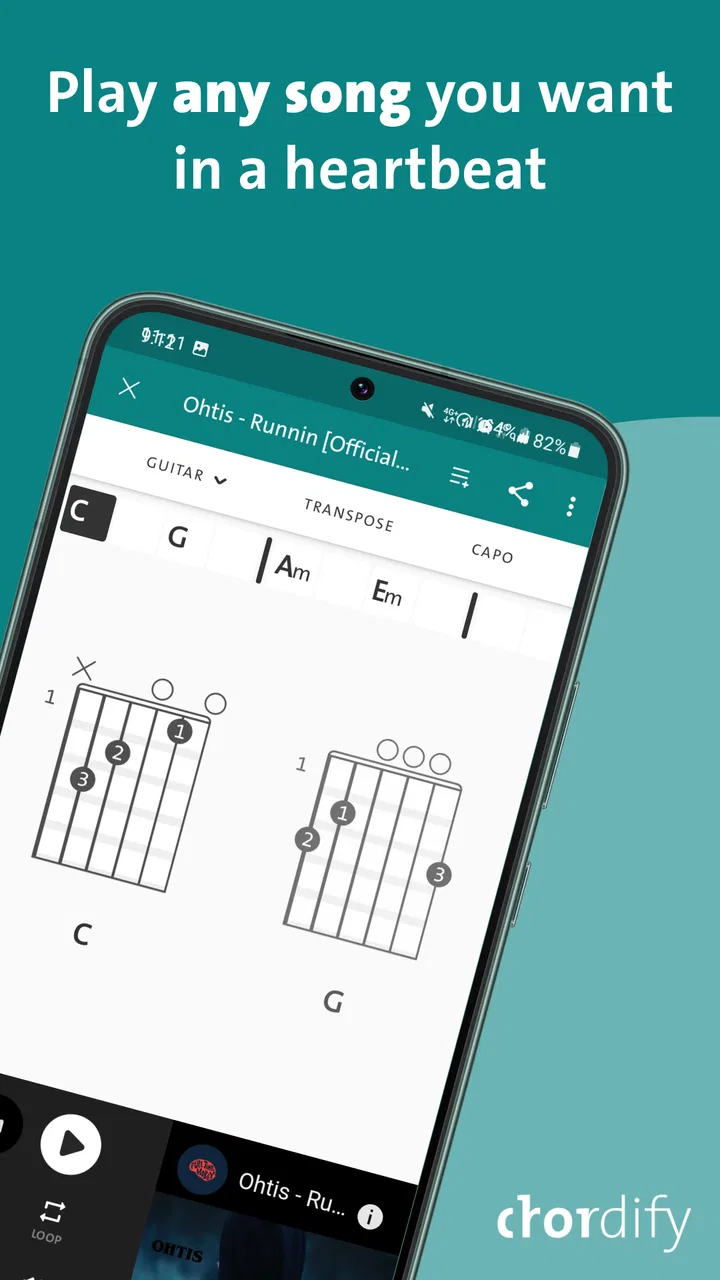
The app’s core promise is access to a very large collection of song chords. Its store summary describes 36 million guitar, ukulele, and piano chords, but the practical point for me is not the size of the number. It is the chance to search for a familiar song and immediately see a chord progression connected to the recording I want to play.
A traditional chord sheet gives me the names of the chords, but it often leaves me responsible for matching the timing. Chordify’s approach is more connected to the audio experience: I can listen and follow the progression as the song moves forward. That makes it particularly approachable when I know the song by ear but do not yet understand its structure on paper.
This is where the app feels different from a plain search engine result. A random chord page may show lyrics, chord names, and a suggested strumming pattern, but I still have to judge where each change belongs. With Chordify, the song itself becomes my timing reference. I can hear the transition, watch for it, and try to place my hand movement in the same moment.
That does not make the app a substitute for learning rhythm or harmony. It gives me a practical starting point. I still need to listen carefully, choose comfortable chord shapes, and notice when the displayed progression is only an approximation of what the original musicians are doing.
Why the capability matters to beginners
For a new player, the hardest part is often not memorizing a chord shape. It is coordinating that shape with a real song. A beginner can spend several minutes changing between two chords in isolation and then lose the beat as soon as the music starts. Chordify helps bridge that gap because the practice material is the actual song I already recognize.
I find this especially helpful with songs that have a repetitive progression. Once I understand the repeating pattern, I can stop worrying about what comes next and focus on smoother transitions. The app also gives me a reason to practice a complete musical passage instead of endlessly repeating disconnected exercises.
There is a motivational benefit too. When I can play even a simplified version of a song I enjoy, practice feels less like homework. That matters for people who are learning without a teacher and need a visible connection between effort and result.
It supports more than one instrument
The same chord-focused approach works across guitar, ukulele, and piano, although the experience is not identical on each instrument. Guitar and ukulele players can use the chord names as a guide for shapes, while piano players can interpret them as left-hand or fuller voicing suggestions. I would not expect the app to explain the best fingering for every style, but it gives each player a common harmonic outline.
That makes it useful in a household where different people play different instruments. One person can work on the guitar part while another uses the same song as a piano exercise. It is also convenient for someone who switches instruments and wants to understand the song’s progression without starting the search again from scratch.
How I use a song from the first search
My preferred workflow is to begin with a song I already know well. Familiarity helps me notice whether the chord changes appear in sensible places. I listen once without playing, then replay the song while watching the progression. On the next pass, I use only the easiest chord shapes and avoid trying to copy every detail of the recording.
That last step is important. If I attempt to match the original arrangement immediately, I can mistake complexity for progress. I would rather simplify the rhythm, play fewer changes cleanly, and gradually add movement after the basic timing feels stable.
For a beginner, I recommend choosing a song with a moderate pace and a repeating pattern rather than starting with a favorite track simply because it is familiar. A song can be emotionally easy to recognize but technically awkward to play. Chordify makes the song accessible, but it cannot remove difficult stretches, quick changes, or unusual voicings from the music.
What using it in practice feels like
A phone can be both the music source and the chord reference, which is convenient but asks me to divide my attention between listening, looking, and playing. I get more out of a session when I choose the song and check the progression before picking up the instrument, rather than trying to manage every decision mid-strum. That practical routine leads into what happens when the session does not go smoothly.
The scrolling progression is a timing aid, not a complete lesson
The most useful practical feature is the connection between the chord display and the song’s movement. I can see the current chord, anticipate the next one, and use the audio to check whether my change lands at the right time. This is more effective than reading a long list of chord names because it keeps my attention on the moment I actually need to act.
Still, I would describe the display as a practice aid rather than a full teaching system. It tells me what harmonic material to try, but it does not automatically teach relaxed posture, efficient fingering, consistent strumming, or expressive dynamics. If I only follow the screen, I may learn to chase chord changes without developing a steady internal pulse.
My solution is to use the app in short stages. First, I mute or soften the instrument and count along with the recording. Then I play one chord per change. After that feels comfortable, I add a simple strum or basic piano rhythm. This turns the scrolling display into a framework for learning instead of a prompt to rush.
Accuracy can vary with the recording
Chord-based song tools are strongest when the harmony is clear and the arrangement is relatively straightforward. In a simple acoustic recording, the displayed progression may give me a convincing map of the song. In a dense production, the result can be less exact because several instruments, vocal layers, and passing notes may make the underlying harmony harder to identify.
I treat every displayed chord as a useful suggestion that I should verify with my ears. If a chord sounds wrong against the recording, I do not force myself to accept it just because it appears on screen. Sometimes the difference comes from an alternate voicing, a capo, a transposed arrangement, or a brief passing chord that is not represented in the simplest progression.
This is one of the app’s important trade-offs. Its value comes from speed and accessibility, while a carefully prepared lesson or professionally edited chord chart may offer more musical precision. For casual play-along sessions, speed often wins. For performance preparation, I would check the progression more carefully and adapt it to my own arrangement.
A realistic everyday session
Imagine I have twenty minutes after work and want to practice without planning a formal lesson. I choose a song I know, listen through once, and identify the sections that repeat. I then play the progression slowly, concentrating on the change that keeps interrupting my rhythm. Instead of restarting the whole song every time I make a mistake, I isolate that transition and return to the recording only after my fingers feel less tense.
On the final pass, I play along with a deliberately simple rhythm. I may not sound like the original track, but I have practiced timing, chord changes, and staying with a complete arrangement. That is a realistic use of Chordify: it helps turn spare time into focused musical work without requiring me to prepare a lesson in advance.
Using it to test whether a song suits me
Another less obvious use is deciding whether a song is worth learning on a particular instrument. Before investing hours in a detailed arrangement, I can inspect the basic progression and try a simplified version. If the chord movement feels natural under my fingers, I can continue. If it is uncomfortable or repetitive in an unhelpful way, I have learned that quickly.
This makes the app useful for building a personal practice list. I can compare songs by how manageable their progressions feel, not just by how much I enjoy listening to them. For someone who loses motivation when a project is too difficult, that early test can prevent a lot of abandoned practice.
What the free starting point offers
The app is free to install, which lowers the barrier for someone who wants to try the workflow before committing to a paid music-learning service. In-app purchases range from $6.99 to $54.00 per item, so I would look carefully at the specific purchase screen and decide whether the extra value matches how regularly I will use the app.
I would not pay simply because the chord library is large. I would first test several songs that I genuinely want to play, check whether the results are practical for my instrument, and see whether the basic experience fits my practice habits. The right value question is not “How many songs are available?” but “Will I return to this often enough to improve?”
The best scenario for Chordify
Even a simple practice plan can be interrupted by a slow load, a dropped connection, or a display that is difficult to follow while holding an instrument. I treat those moments as a cue to pause and recover calmly instead of guessing at the next change and reinforcing a mistake. The following section looks at how to make that workflow less wasteful, especially when I’m mindful of mobile data.
It shines for self-directed play-along practice
The strongest audience is the self-taught player who already listens to music actively and wants a direct route into playing. If I learn best by hearing a song and copying its structure, the app gives me a more engaging starting point than a textbook exercise. It is also a good match for hobbyists who do not need a formal curriculum and prefer choosing their own material.
It works particularly well for casual guitar or ukulele sessions. Those instruments are often used for accompanying songs, and a chord progression can be enough to create a recognizable version quickly. The app helps me move from isolated chord practice into accompaniment, which is where many beginners want to arrive.
It can also help a more experienced player who wants to sketch an arrangement. I might use the progression as a first draft, then change the key, substitute easier voicings, or develop a more interesting rhythm. In that role, Chordify is not the finished arrangement; it is a fast harmonic outline that saves time at the beginning.
When a teacher or specialist resource is better
I would not choose this as my only resource if I need structured technique training. A teacher can see why my wrist is tense, explain how to practice a difficult transition, and adapt an exercise to my level. Chordify can show me where a chord occurs, but it cannot observe my playing or correct habits in real time.
A dedicated theory course is also better if my goal is to understand why a progression works. The app helps me play songs, but playing through a sequence is not the same as learning functional harmony, ear training, notation, or arranging principles. I can learn some of those ideas indirectly, but I should not confuse exposure with a complete curriculum.
For advanced players preparing an exact cover, a carefully transcribed chart may be preferable. The app’s simplified chord view can be excellent for getting started, yet a precise performance may require details such as inversions, rhythmic accents, altered chords, instrumental riffs, and section-specific changes.
Why it may not suit every learner
Someone who dislikes learning from recordings may find the experience distracting. The app’s strength is its connection to the song, so a learner who wants silent notation, detailed staff reading, or a fixed sequence of exercises may prefer another tool. Likewise, a player who needs slow, highly controlled instruction may find the song-based flow too quick at first.
It is also not ideal for someone who expects automatic results. Seeing a chord is not the same as being able to play it. I still need patience, repetition, and a willingness to simplify. If I want an app to listen to every note I play and grade my technique, this is not the right expectation to bring to Chordify.
The trade-offs I noticed while relying on chord displays
When I’m watching data use, I avoid repeatedly reopening the same song or leaving a session running without a clear practice goal. I also keep the work focused: identify the progression, practice the tricky transition, then spend less time looking at the screen. That is a sensible habit for any song-led tool, and it sets up my overall judgment of how connectivity shapes the experience.
Convenience can encourage shallow learning
The app makes it easy to follow a song, but convenience can become a weakness if I never look beyond the next chord. I may memorize the sequence visually without understanding the song’s sections. To avoid that, I pause occasionally and name the pattern myself: verse, chorus, bridge, or repeated cycle. Then I try to play a section without watching every change.
This small habit changes the app from a dependency into a training aid. The display supports me while I am learning, but I gradually test whether I can keep the progression in my head. That is a more durable result than simply completing a song while staring at the screen.
Simplification is helpful, but it changes the character of a song
A basic chord progression can make a song playable, yet it may not capture all of its personality. The original recording may depend on a distinctive picking pattern, a bass movement, suspended notes, or rhythmic accents. If I use only the displayed chords, I may produce a recognizable but plain version.
I see this as a reasonable compromise for beginners, not a flaw that makes the app useless. The important thing is to know when I am practicing the harmonic skeleton and when I am trying to reproduce the actual arrangement. For a campfire-style accompaniment, the skeleton may be enough. For a serious cover, I need another stage of study.
Screen attention can compete with musical attention
Following a moving display requires visual focus, while good playing depends heavily on listening and feeling the beat. If I watch the screen too closely, I can become tense or lose awareness of my sound. I get better results when I use the display to learn the structure, then look away as much as possible during later repetitions.
This is also why I would keep practice sessions focused on one small objective. Trying to read every chord, maintain perfect rhythm, and learn a new fingering at the same time creates unnecessary friction. I choose one priority, such as clean changes, and let the rest remain simple.
Purchases deserve a practical decision
Because the app includes optional purchases, I would treat the free version as a trial of the method rather than assuming that paying will solve every learning problem. If I use the service only once a month, a purchase may not be worthwhile. If I regularly learn songs, revisit arrangements, and use the chord view as part of my weekly routine, the convenience may justify spending more.
The current version is listed as 1999, and the app supports Android 8.0 and later. Those details make it accessible to many Android users, but I would still check how comfortably it runs on my own phone and whether the screen is large enough for reading while playing. A small display can make chord-following more tiring, especially when the instrument is positioned several feet away.
Who gets the most from this app
For me, connectivity is part of the practical cost of using a song-linked chord guide, not a reason to dismiss it. I’d choose it when I can get a dependable session and want a quick route from a recording to playable practice; if access is unreliable or I need a reference that works independently of a live song workflow, a prepared chord sheet may be the more dependable choice.
Best fit: motivated beginners and flexible hobbyists
I would recommend Chordify first to a beginner who already has an instrument and a list of songs they want to play. The app provides an immediate project, and that can be more motivating than starting with abstract drills. It is also a strong fit for a player who has learned a few chords but struggles to connect them to real music.
Intermediate hobbyists can benefit too, especially when they want to explore unfamiliar songs quickly. The chord view gives them a starting map, while their existing ear and technique help them correct or enrich the simplified result. For these users, the app is less a teacher and more a fast musical reference.
Less suitable: students seeking a complete course
I would steer away from it as a primary choice if I wanted a carefully staged program covering technique, reading, theory, and assessment. Chordify is centered on songs and chord progressions, so its best results come when I already know how to turn a chord name into a comfortable shape and how to keep a basic rhythm.
I would also be cautious if my main goal were exact transcription. The app can help me locate the harmonic direction of a song, but serious performance work may require listening, comparing versions, and building details that go beyond a chord display.
My recommendation after using the workflow
Chordify earns its place as a practical bridge between listening and playing. I like it because it reduces the distance between a song I enjoy and a first playable version. The most valuable habit is to use its chord progression as a guide, then gradually rely more on my ears, timing, and memory.
At no cost to start, an Everyone rating, support for guitar, ukulele, and piano, and a large song-focused chord library make it easy to try. The average rating of 4.1 shows a generally positive reception, though it also suggests this is not a perfect solution for every player. My own conclusion is straightforward: use Chordify when you want fast, song-centered practice, but pair it with deliberate rhythm work and deeper instruction if you want lasting technique.
For a friend who says, “I know a few chords, but I do not know what to play,” I would recommend giving it a try. I would suggest starting with one familiar, repetitive song, checking the progression by ear, and practicing a simplified version before worrying about sounding like the recording. That approach captures what the app does best without expecting it to be something it is not.
FAQs for Chordify: Song Chords & Tuner
01What is Chordify and how does it work?
Chordify is a music app designed to help musicians of all levels play their favorite songs. It provides accurate chord diagrams and transcriptions for any song you choose. Simply upload a song or search from its vast library, and Chordify will analyze the music, displaying the chords in real-time as the song plays.
02Is Chordify free to use, or are there any subscription plans?
Chordify offers a free version with basic features, allowing users to access chords for thousands of songs. However, for advanced features like offline access and premium song library, users can opt for a subscription plan called Chordify Premium, which is available on a monthly or yearly basis.
03Can I use Chordify offline?
Offline access is a feature available exclusively to Chordify Premium subscribers. With this feature, you can download chords for your favorite songs and access them without an internet connection, making it ideal for practice sessions on the go.
04Does Chordify support different musical instruments?
Yes, Chordify supports various musical instruments. While it primarily provides guitar chords, it also caters to instruments like piano and ukulele. Users can switch between diagrams for these instruments, making it a versatile tool for multi-instrumentalists.
05How accurate are the chords provided by Chordify?
Chordify uses advanced algorithms to transcribe music, offering a high level of accuracy. However, like any automated tool, some complex songs might have slight discrepancies. Users often find the chords reliable, but for perfect accuracy, particularly in complex pieces, manual adjustments might be necessary.
Pros
- Easy-to-use interface for quick navigation.
- Accurate chord transcriptions for most songs.
- Supports a wide range of musical genres.
- Offline mode available for premium users.
- Integrates with popular streaming services.
Cons
- Free version contains frequent ads.
- Limited song library in the free version.
- Requires internet for full functionality.
- Premium features can be costly.
- Occasional inaccuracies in complex songs.

Chordify: Song Chords & Tuner
Gallery